AI writing assistant for Chrome Coming soon

Write better.
Right where you type.

Select any text in Chrome. SmoothSay fixes, rephrases, replies to or translates it right there. No copy-pasting into ChatGPT, no “Certainly! Here’s…”.

Made for everyone who rereads every message three times, especially in a language that isn’t their first.

Works where you write
  • Gmail
  • Outlook
  • LinkedIn
  • Slack
  • Microsoft Teams
  • WhatsApp Web
  • X
  • Discord
  • Notion
  • Zendesk
  • Intercom
  • Help Scout
Email, chat, social and support desks, plus most other text boxes in Chrome.
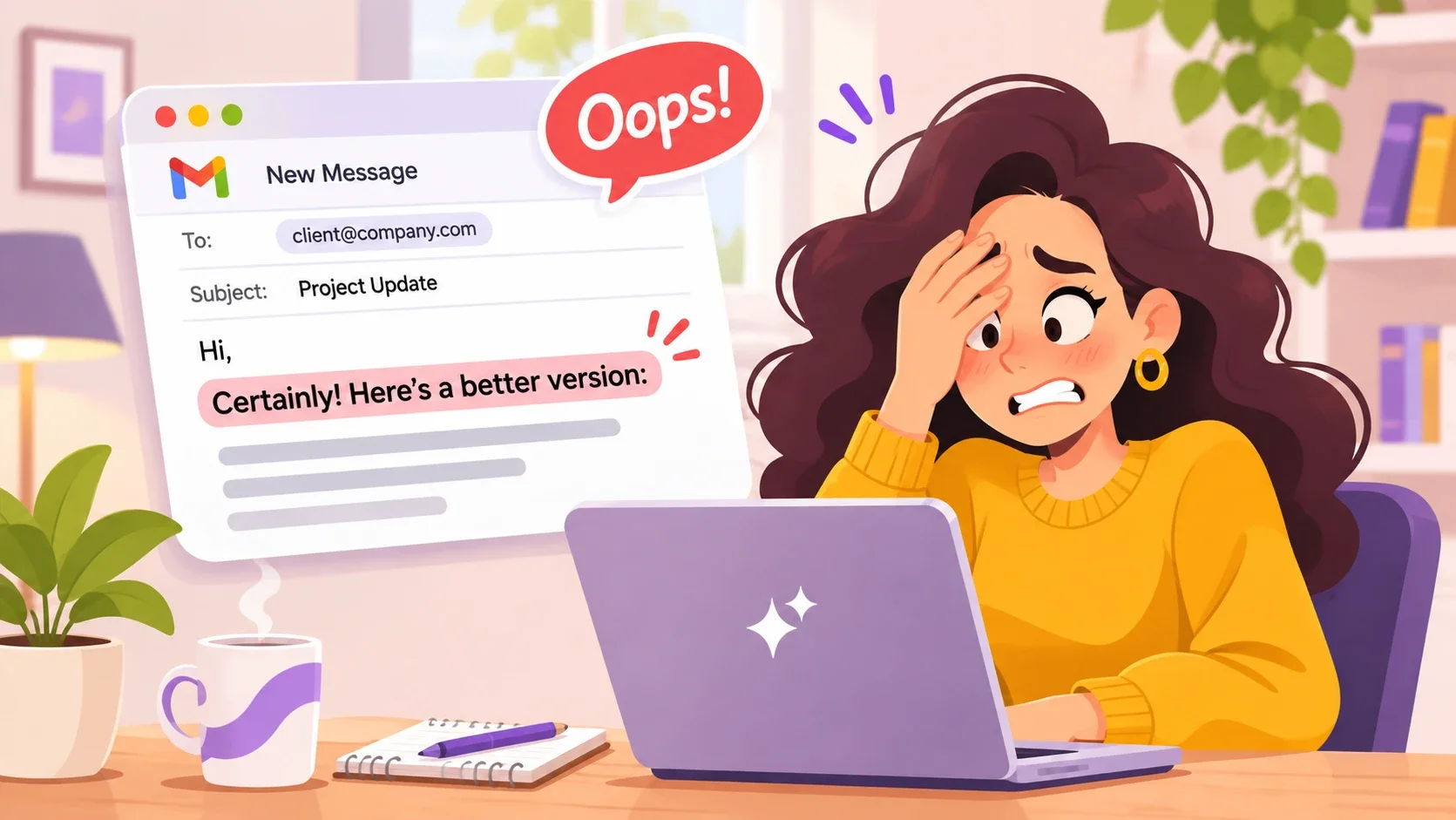
Maya holds her head: the email she just sent to a client starts with “Certainly! Here’s a better version:”.
David (Manager) · just now“Why does your email start with ‘Certainly! Here’s a better version’?”

01The problem

Oops. You pasted that part too.

You asked a chatbot to polish your email. Copy, switch tabs, prompt, copy, switch back, paste. Six steps, and the chatbot’s intro went out with it.

And it’s not just the AI intro. It’s every little writing moment:

  • I know what I mean, it just doesn’t come out right.
  • It sounds rude, but I don’t know how to soften it.
  • I’ve been staring at this reply for ten minutes.
  • They wrote to me in a language I don’t speak.

02What you can do

One little toolbar.
A lot of superpowers.

Select text, pick an action, and check the result before anything changes. Here’s each one at work.

Rephrase

Say exactly what you mean, only clearer and more natural. Your meaning stays; the awkward wording goes.

Example: “just wanted to ask if maybe you could send the report by friday if its not too much trouble” becomes “Could you send me the report by Friday? Thanks so much!”

Fix Grammar

Spelling, grammar and punctuation fixed, without rewriting your style. Perfect when English isn’t your first language.

Example: “I am agree with you and we can to start the project next week.” becomes “I agree with you, and we can start the project next week.”

Draft reply

Select the message you need to answer and get a thoughtful reply. Pick the tone: professional, friendly, casual, concise, empathetic or firm.

Example: “Hi! Any chance you could send me an update on the launch before Thursday?” becomes “Hi Sam, of course! I’ll send you a full update on the launch by Wednesday evening.”

Summarize

The few points that matter from a long email, thread or article, without leaving the page.

Example: “After reviewing the feedback from the pilot, the team agreed to move the launch to May 12. Ana will own the checklist, and marketing will hold the announcement until the pricing page is final…” becomes “Launch moves to May 12. Ana owns the checklist; the announcement waits for final pricing.”

Explain

Contracts, insurance letters and technical docs in plain words. Plain-language help, not legal or financial advice.

Example: “Your deductible must be met before coinsurance applies.” becomes “You pay the first part of your costs yourself. After that, your insurer starts sharing them with you.”

Translate

Pick the language and get a natural translation, not word for word. Write in yours, send it in theirs.

Example: “See you tomorrow at 10, I’ll bring the documents.” becomes “¡Nos vemos mañana a las 10! Llevaré los documentos.”

Ask for changes Pro

Not quite right? Say what you want, like “warmer”, “shorter” or “add a reason”, and get a new version without starting over.

Your own actions Pro

Save the instructions you give every day, like “reply as our support team, warm and concise”, and run them on any selected text in one click, from the toolbar.

03Your words, your choice

We only see what you send, and only when you ask.

  • Nothing is sent until you pick an action. Selecting text or opening the toolbar sends nothing.
  • Processed, not stored by us. Your selection goes to our AI provider to make your result. It isn’t used for training, and SmoothSay doesn’t store or log it.
  • Sensitive fields skipped. Passwords, payment fields and one-time codes are left alone.
  • No ads, no trackers. No data sales, and this website sets no cookies.
Read the privacy policy →

04SmoothSay Pro

Make every result sound like you.

Everything in Free, plus the tools that make SmoothSay part of your day: refine any result in a sentence, and save the instructions you use most.

  • Ask for changes

    Not quite right? Say what you want, like “warmer”, “shorter” or “add a polite closing”, and get a new version in seconds, without starting over.

  • Your own actions

    Save the instructions you give every day, like “reply as our support team”, and run them on any selected text in one click.

  • One-tap tweaks

    Make the result shorter or change its tone with one click, without starting over.

  • A stronger AI model

    Better results where it matters most: long emails, getting the tone right, and natural translations.

Get early accessEvery new account starts with 7 days of Pro, free. No card needed.

05Pricing

Free to start. $6 if you write all day.

No credit card. Sign in with Google and get 7 days of Pro, free.

Free

For everyday writing

$0forever

  • 7 days of Pro when you sign up
  • 25 actions a day with a free Google sign-in
  • Every built-in action, plus Regenerate
  • Selections up to 2,000 characters
Get early access

Pro

Everything in Free, plus

$6/ month

Billed monthly. Cancel anytime.

  • 500 actions a day, 20× Free
  • Ask for changes on any result: “friendlier”, “shorter”…
  • Your own actions for what you write every day
  • Long texts up to 12,000 characters, and a stronger AI model
Get early access

Own Key

For people with an OpenAI, Claude or Gemini key

$49once

Pay once, keep it. Your AI provider bills you for usage.

  • Every Pro feature with your own API key
  • No SmoothSay limits: only your provider’s
  • Your text goes straight to your provider, not through SmoothSay
  • Pick any model your provider offers
Get early access

One action is one result: a click on an action, or one change you ask for. Errors never count. Prices in US dollars; secure checkout by Gumroad.

06Good questions

A few things you might ask.

Something else? Write to us.

How is this different from ChatGPT or Grammarly?

With a chatbot you copy your text, write a prompt and paste the answer back, sometimes with its intro line. SmoothSay works in place on the words you selected and returns only your rewritten words. Grammarly checks as you type; SmoothSay acts on any text you select, including with your own actions.

Will it change my text without asking?

Never. Your text changes only when you click Replace or Insert, and only the part you selected. Undo (Ctrl+Z, or Cmd+Z on Mac) works in most editors.

English isn’t my first language. Will it help?

Yes, that’s who it’s made for first. Fix corrects mistakes while keeping your meaning, Rephrase makes it sound natural, and Translate lets you write in your language and send it in theirs.

Does it work in Google Docs?

Google Docs hides its text from browser extensions, so the toolbar can’t appear there. Use paste mode instead: copy your text, press Alt+Shift+S (or click the SmoothSay icon), paste, pick an action, and copy the result back. It works the same way for PDFs and other places where selecting doesn’t open the toolbar.

Do I need an account or an AI subscription?

You need a free account: sign in with Google in one click. You don’t need an AI subscription: AI is built in, with 25 actions a day on Free and 7 days of Pro to start. If you already pay for OpenAI, Anthropic (Claude) or Google Gemini, the Own Key plan ($49 once) lets you use your own API key with every Pro feature.

When does it launch? Does it work on my phone?

Soon, on the Chrome Web Store, for Chrome on Windows, Mac, Linux and ChromeOS (not phones yet). Leave your email and you’ll get one message at launch.

✦ Your words, but smoother

Less copy. Less paste.
More you.

Free to start. One email when SmoothSay launches, with the install link.